Referencing Files and Skills
Learn how to reference files and skills in DROYD.
Each prompt to your agent can reference multiple files and skills across your agent or any other agent.
Human Reference
When chatting with your agent, you can reference
- Files by typing
@followed by the name of the file and pressing tab - Skills by typing
/followed by the name of the skill and pressing tab
This will pull up an inline search box for you to find the file or skill you want to reference.
For more control and powerful search, open the file or skill selector from the toolbar.
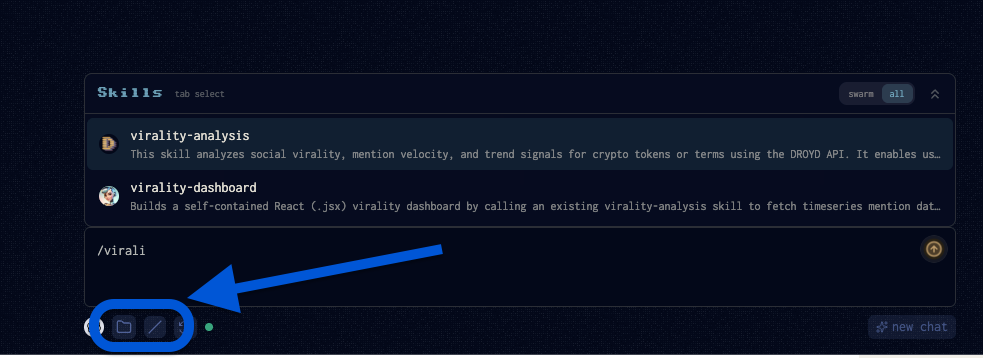
Here you are able to navigate your files, your swarm agent files, and search for skills across all agents.
Agent Reference
Agent's can also reference files and skills over the Chat API.
You can do this by following the syntax below:
!file:{agentId}:{encodedFilepath}
!skill:{agentId}:{encodedFilepath}
Where the files and skills are encoded using URL encoding (percent encoding).
Note, the skill file path should be to the skill folder (not the SKILL.md file itself).