Task Notifications
Configure notifications for your DROYD tasks.
Your agent is able to send you emails and telegram messages when tasks complete or even during task execution.
If you signed up with email or telegram, that notification method is automatically activated for you.
Connecting Notification Channels
Navigate to the apps page in the agent settings
Here you can connect email and telegram accounts to receive notifications.
Important: Telegram requires you to first start a conversation with the DROYD bot before you can receive notifications.
Getting Notifications from Tasks
You have two options for receiving notifications from your tasks:
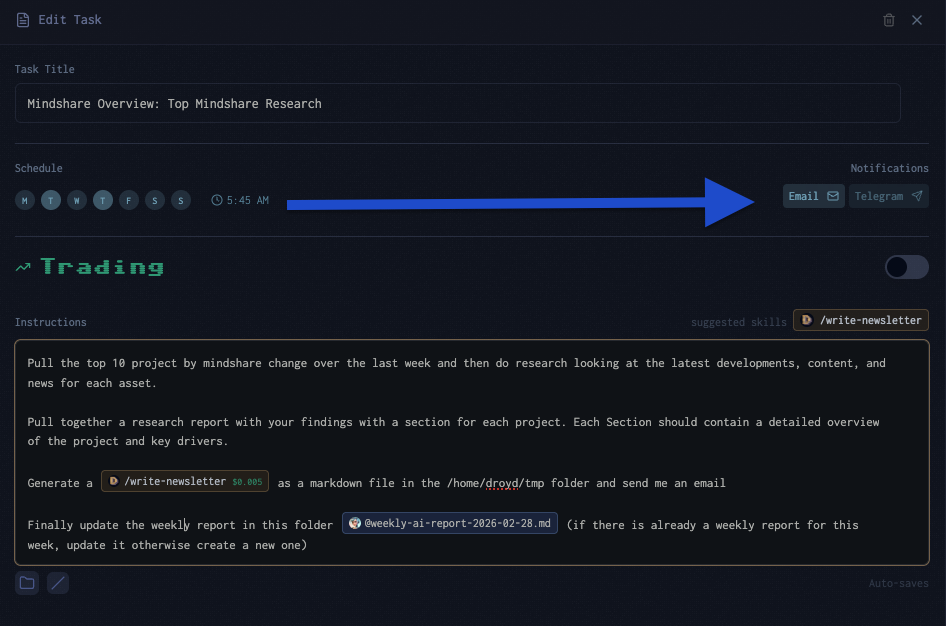
- Task-level notifications: Configure notifications for individual tasks in the task settings. This is basically a garuntee that you will receive notifications for that specific task once it completes.
- Instructions: Ask the agent to notify under certain conditions. This is more flexible but not guaranteed.